
Most commercial security upgrades don’t need a full tear-out. The smart path is to audit what you have, keep the cabling, doors and sound components, and replace the parts that cause missed footage, blind spots, false alarms or admin headaches. That usually means cameras and recorders first, then access control and alarm signaling, then the network that ties them together. This guide shows you how to decide, in what order, and what to check so new equipment works with the old.
TL;DR
- Start with a written site survey of the existing system. It tells you what to keep, what to replace and what it will cost, before you buy anything.
- Camera upgrades are about more than resolution: coverage, recording mode, storage, analytics and cybersecurity all decide whether footage is usable.
- Retrofitting AI analytics onto existing cameras can cost a fraction of a new camera network, but only if the cameras and network can support it.
- Treat every network-connected device as an IT asset: strong passwords, least-privilege accounts, encrypted transport and controlled remote access.
- Plan, install, test and maintain as one project. An upgrade that is never verified or serviced degrades quietly.
Signs your security system is due for an upgrade
An upgrade is justified when the system no longer does the job you bought it for, not when the equipment reaches a certain age. These are the practical triggers we see on commercial and industrial sites:
- Footage you can’t use. Faces, license plates or hands are unreadable, or the camera that covered the incident was pointed at the wrong place.
- Gaps in recording. Motion-triggered recording that missed the start of an event, or a recorder that overwrites footage sooner than your business needs.
- Constant false alarms. Staff ignore alerts because wind, animals or lighting changes set them off. An ignored alarm is as good as no alarm.
- Access control that has outgrown the building. Shared codes, lost keys that can’t be revoked, no record of who entered a room, or a new tenant or department that needs different permissions.
- No remote visibility. Managers can’t see live views or receive alerts off site, so every incident depends on someone being in the building.
- Business change. An extension, a new loading yard, a second shift, higher-value stock or new insurance requirements.
- Hardware you can’t support. Recorders with no firmware updates, discontinued parts, or software that only runs on an old operating system.
The benefits of acting are concrete: clearer evidence, fewer false alerts, faster response through remote monitoring, tighter control of who goes where, and one system to manage rather than several that don’t talk to each other. Your own incident log, near misses and insurance feedback tell you which of these matters most.
Audit what you already have
Before choosing products, document the current system. A professional electronic security site survey should produce written documentation of the condition of the existing system, an evaluation of its effectiveness, upgrade recommendations, concept drawings of device locations and coverage, and a cost estimate for equipment and labor. That is a useful checklist for what to demand from any survey, ours or anyone else’s.
Walk the site with a floor plan and record the following:
- Device inventory. Every camera, recorder, door controller, reader, sensor, panel, keypad and power supply, with make, model, location and installation year.
- Coverage map. What each camera actually sees at night and in bad weather, not what the plan says it should see.
- Cabling and pathways. Coax, twisted pair, fiber, conduit routes and spare capacity. Cabling is often the most expensive thing to replace and the most reusable.
- Network. Switch capacity, power-over-Ethernet budget, VLAN separation from the business network, and how remote access currently works.
- Doors and locks. Door condition, lock type, hardware that fails safe or secure, and how each door behaves in a fire alarm event.
- Incident history. Where thefts, break-ins, tailgating or vandalism have occurred and what the system captured.
- People and processes. Who reviews footage, who answers alarms, who adds and removes credentials, and how fast.
Score each item as keep, adjust, replace or add. The result is a phased plan you can budget against instead of a single large quote.
What to keep and what to replace
The table below is a starting point. Your survey will refine it.
| Component | Often worth keeping | Often worth replacing |
|---|---|---|
| Cabling | Good-condition structured cabling and fiber backbones | Damaged, undersized or non-compliant runs |
| Cameras | Recent IP cameras with good lenses in the right locations | Low-resolution cameras, poor night performance, wrong viewing angles |
| Recorders | Units with supported firmware and enough capacity | End-of-life recorders, insufficient storage or bandwidth |
| Door hardware | Solid doors, frames and electric strikes or locks in good order | Worn locks, readers that can’t be updated or revoked quickly |
| Alarm sensors | Reliable detectors in the right zones | Zones that false alarm, unsupervised wiring, outdated panels |
| Software | Platforms with an active update path | Unsupported software, scattered tools with no integration |
A mixed approach often wins on cost. Retrofitting is one example: one market report puts the global market for AI intrusion detection retrofits on legacy CCTV at $1.6 billion in 2025, and says an edge AI appliance or plug-in software module typically costs 15% to 30% of the capital outlay for an equivalent new camera network. That is an industry estimate rather than a quote, and your result depends on whether your cameras deliver the image quality the analytics need. A survey answers that camera by camera.
Security camera upgrades: what to specify
Camera upgrades are the most common starting point, and the most common place to overspend on the wrong feature. Work through these five decisions.
Image quality and placement
Resolution matters less than whether the camera is matched to its job. A camera meant to identify a person at a door needs a tight view and good low-light performance. A camera meant to detect movement across a yard needs a wide view and, often, a different technology such as thermal. Our commercial CCTV cameras guide explains the camera types and what each suits. Moving a camera to the right place often improves results more than buying a better one.
Recording mode, bandwidth and storage
These three are linked. According to Axis, motion recording can leave gaps if it is poorly calibrated, while continuous recording is more complete but needs substantially more storage and continuously available bandwidth. Decide how many days of footage the business needs, which areas need continuous recording, and size storage and network capacity from that, not the other way around.
Analytics
Video analytics turn footage into events you can act on. Axis describes how analytics generate metadata from live or recorded video so systems can detect objects such as people and vehicles and trigger events such as entry to a restricted area or a vehicle approaching a gate. On a large site this reduces the amount of video someone has to review by eye. Choose analytics for a defined problem, such as after-hours intrusion in a yard or vehicles stopping at a gate, and set the rules around that problem. Our commercial CCTV installation with video analytics page covers how we apply this.
Perimeter and vehicle detection
For yards, solar farms, construction sites and warehouses, detection at the boundary gives you time to respond before anyone reaches the building. Thermal cameras, ANPR and perimeter sensors are the usual tools. See our guides to warehouse security and construction site security for worked examples.
Cybersecurity of the cameras themselves
A camera is a computer on your network. Axis recommends physically protecting cameras, network equipment, cabling, servers, storage and power devices, applying least privilege, using strong passwords and encrypted transport, disabling unused services and using secure remote-access methods. Put that into your upgrade specification so it is built in on day one. If your in-house team is stretched, a specialist in managing cyber and privacy risks on connected systems can review the network side before go-live.
Upgrading access control, alarms and monitoring
Access control and door entry
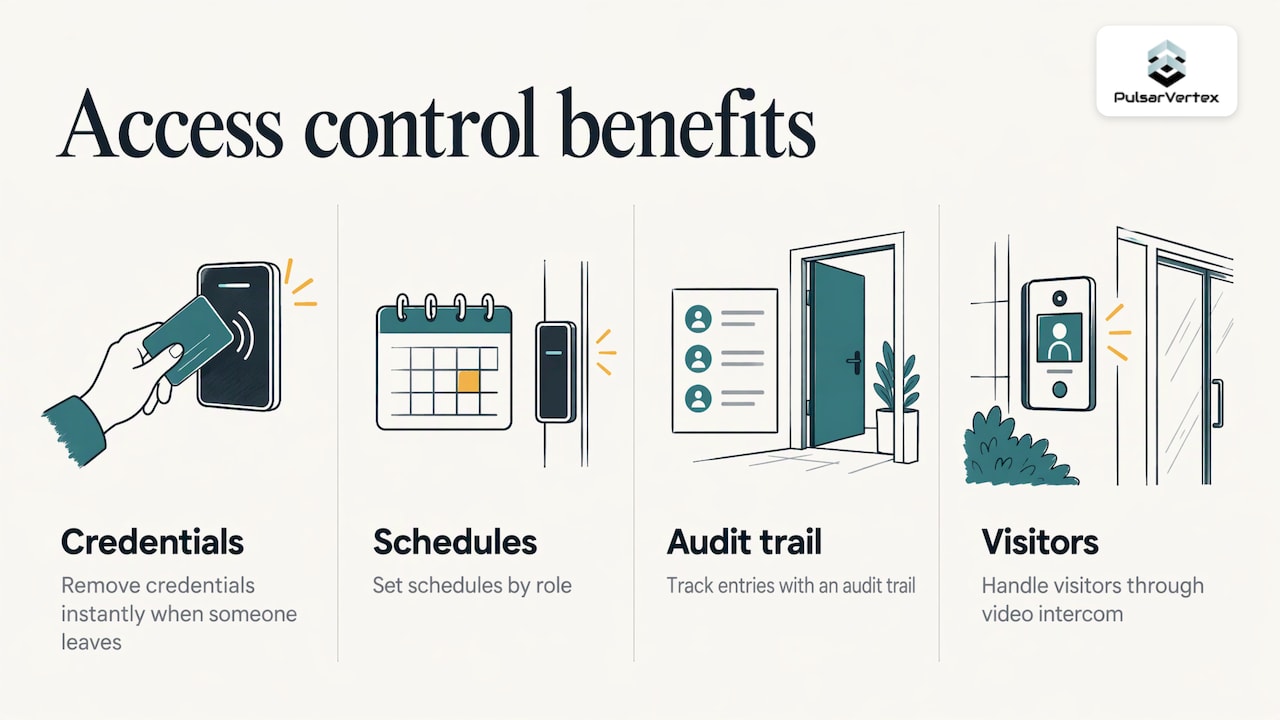
Access control upgrades usually deliver the fastest operational gain: instant credential removal when someone leaves, schedules by role, an audit trail of entries, and visitor handling through video intercom. Look at whether your doors, strikes and cabling can take new readers and controllers. If so, you may only be replacing the electronics. Our commercial key fob and key card access control page shows what a typical project includes, and our door entry and video intercom page covers entrances with visitors and deliveries.
Intruder and perimeter alarms
If alarm zones false alarm, a better panel and better-placed detectors often fix the problem without replacing every sensor. Check how the alarm signals to a monitoring center or responder, and how it ties to cameras so the person receiving an alert can see what triggered it. Details are on our perimeter intruder alarm page.
Remote monitoring
If nobody is on site overnight, remote monitoring with live camera verification turns alerts into decisions. It pairs well with analytics because only real events reach an operator. Our CCTV services include remote monitoring and offsite security.
Fire alarms
Fire alarm work is regulated and should be treated separately from security upgrades. Any change to a fire alarm system should be designed, installed and tested by qualified fire alarm professionals and agreed with the authority having jurisdiction over your building, typically your local fire marshal or building department. Door hardware is where the two systems meet: electronic locks need to release correctly in an alarm, so coordinate access control and fire alarm work together. See our commercial fire alarm installation and maintenance page.
Integrating new equipment with existing systems
Integration is where upgrades succeed or stall. Check these before you order:
- Open standards. Ask whether cameras, recorders and software support common open interfaces so you can mix brands and avoid being locked to one manufacturer.
- Camera and recorder compatibility. Confirm the recorder or video management software supports the new camera models, their video formats and their analytics features.
- Cabling type. Existing coax can sometimes carry new signals through adapters, while IP cameras need network cabling and power. Compare adapters against re-cabling in your survey.
- Network capacity. Add up camera bitrates, switch uplinks and the power budget for powered devices.
- Door controllers and readers. Make sure new readers speak the protocol your controllers expect, and check what credential type your staff already carry.
- Alarm signaling. Confirm the new panel can send events to your monitoring provider in the format they receive.
- Software and users. Single sign-on, role-based permissions and log retention should be defined before cutover, not after.
A phased approach keeps the site protected throughout: cabling and network first, then recorders and cameras zone by zone, then access control, with the old system staying live until each zone passes testing.
A step-by-step plan for the upgrade
- Define the problems. List incidents, blind spots and operational pain points, ranked by cost to the business.
- Survey the site. Produce the documentation described above, including coverage drawings and a cost estimate.
- Write the specification. Include image requirements, retention days, analytics rules, access groups, network segmentation and cybersecurity settings.
- Design and pilot. Where possible, design in software and test a pilot zone. Axis documents a workflow where system settings can be imported from the design tool, installation verification tests live performance, and health monitoring alerts operators to device issues, which shows the principle: design, verify, then monitor.
- Install in phases. Keep live protection on each zone until its replacement is tested.
- Test and hand over. Check every camera view at night, every alarm zone, every door and every notification path. Train the people who will actually use the system.
- Maintain. Schedule firmware updates, lens cleaning, storage checks, credential audits and alarm tests, and keep a record of each.
Our perspective
Most upgrades go wrong because the project starts with a product, not a problem. We start by understanding the site, the people who use it and the incidents the business wants to prevent, then design a system around that.
At Pulsar Vertex, we combine CCTV, access control, perimeter detection, fire safety and the underlying cabling and networks, so the parts are planned together rather than bolted on one at a time. Our bespoke installations are designed to fit each client’s building and operations, and we support them from planning to execution and through ongoing maintenance.
We believe an upgrade should leave you with fewer systems to manage, not more. That is why we favor integrated design, clear documentation and proactive service after handover.
Pulsar Vertex
Where Pulsar Vertex USA can help
Pulsar Vertex Fire & Security Innovations designs and installs integrated systems for commercial, industrial, agricultural and educational sites: CCTV with AI-powered video surveillance, access control, perimeter detection, fire alarms, structured cabling, fiber-optic networks, Wi-Fi infrastructure and public address systems, with 24/7 maintenance and repairs. If you are in Florida, our Florida commercial CCTV installation page explains how we work with offices and warehouses.
For a single-room refresh or a multi-building program, we can survey what you have, show what is worth keeping and phase the work around your operations. Start at our CCTV services page or browse all our services.
FAQ
How often should a business upgrade its security system?
There is no fixed interval. Review the system whenever your risks change, such as new premises, new stock, a security incident or unsupported software, and at least on a regular schedule alongside maintenance. Cameras and cabling often last longer than recorders, software and access credentials.
Can I upgrade security cameras without replacing everything?
Often yes. Good cabling, mounting points and recent IP cameras can stay, while recorders, storage, software and weak camera positions are replaced. Analytics can sometimes be added to existing cameras, depending on their image quality and the network. A site survey confirms what is practical.
Should I upgrade cameras or access control first?
Start where your biggest loss or risk is. If thefts happen at the yard, begin with perimeter detection and cameras. If the problem is who has keys, begin with access control. Because the systems integrate, the first phase can be designed so the second fits cleanly.
What does a security system upgrade cost?
Cost depends on the number of devices, cabling work, building size and the analytics and monitoring you choose. We don’t publish prices because each installation is tailored. Request a survey and quotation based on your site.
Does upgrading increase cybersecurity risk?
Connected devices need proper configuration, but a well-planned upgrade can improve your position. Use strong passwords, least-privilege accounts, encrypted transport, network segmentation and secure remote access, and involve your IT team in the design.
Sources
- Assessing the Results of an Electronic Security System Site Survey, Facilities Management Insights
- AI Intrusion Detection Retrofit for Legacy CCTV Market, Research Intelo
- Video data as evidence, Axis Communications
- Axis analytics, Axis Communications
- AXIS Camera Station Pro integrator guide
Ready to upgrade? Talk to Pulsar Vertex USA about a site survey and a phased plan for your building. Request your security survey.