
When a business reviews a security incident, the order of events can matter as much as the footage itself. If one camera says a person arrived at 9:14 while another places the same event at 9:19, staff may struggle to match video with an access-control log, alarm notification, point-of-sale record or witness account. A small clock error can make a clear recording harder to use.
For Florida businesses operating multiple cameras, buildings or sites, clock synchronization is a practical part of CCTV system maintenance. This guide explains why timestamps drift, how to check them and what to include in a simple review routine. It is educational guidance; confirm device-specific settings with the equipment manufacturer or qualified integrator.
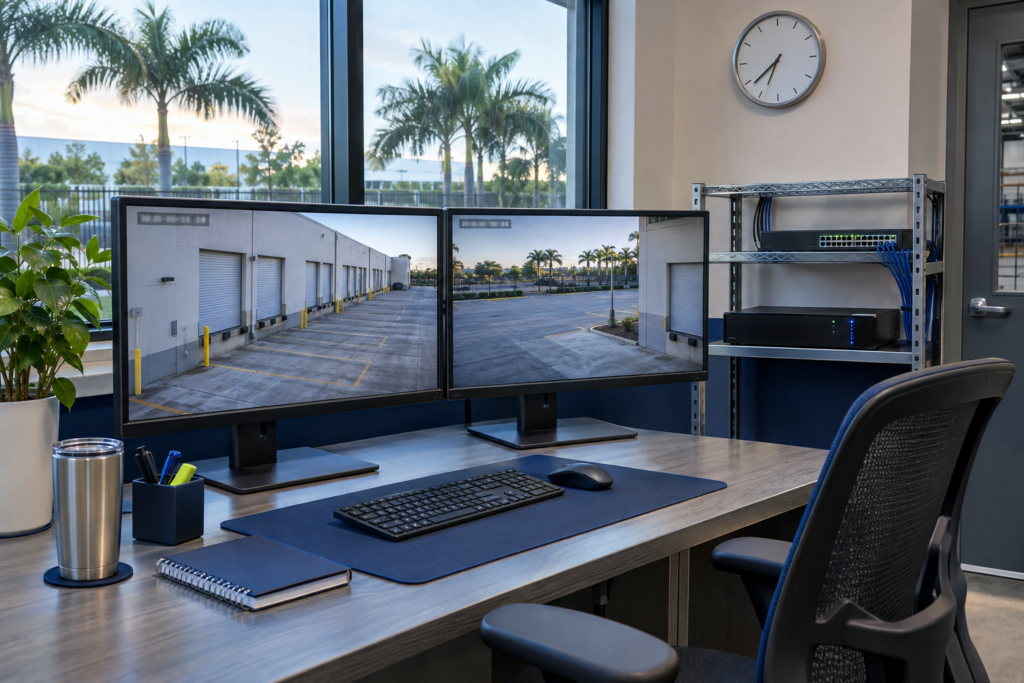
Why camera clocks affect incident reviews
Video recorders and cameras often maintain their own clocks. Those clocks can slowly drift, reset after a power interruption, or inherit an incorrect time zone or daylight-saving setting. When cameras, recorders, access-control panels and alarm systems disagree, an investigator may have to search for the same event across several different time windows.
The issue is especially noticeable on a multi-building property: a delivery enters a gate, passes a loading area and reaches a restricted door. If each system records a different time, reconstructing that sequence becomes slower and less certain. Accurate time does not make video more detailed, but it helps teams compare records and understand their order.
NIST’s Guide to Operational Technology (OT) Security, SP 800-82 Rev. 3 notes that inaccurate device clocks produce inaccurate event and log timestamps, and recommends using a common time across OT devices. The guide discusses NTP and secure PTP in the context of OT environments. For a typical commercial CCTV deployment, follow the capabilities and security guidance of the specific cameras, recorder, access system and network rather than assuming every device supports the same method.
What usually causes timestamp drift?
- Independent local clocks: devices are configured manually and gradually diverge.
- Incorrect time zone or daylight-saving setting: the device is close to the right time but displays an offset or changes on the wrong date.
- Loss of a time source: a network change, firewall rule or DNS issue prevents a camera or recorder from reaching its configured time server.
- Power loss or weak backup: a device restarts with a default time or fails to retain its clock settings.
- Mixed settings across systems: the recorder, cameras and access-control platform use different time zones or synchronization schedules.
A practical CCTV clock-synchronization checklist
1. Choose one authoritative time reference
Ask the system owner or IT team which approved time source the security network should use. On managed business networks, that may be an internal NTP service or another approved source. Avoid configuring each device to a different public time server without review. NIST’s Internet Time Service provides public information about NIST time services, but a business should decide with its IT administrator whether an external source is appropriate for its network and operational needs.
2. Standardize the display settings
Set the correct local time zone and daylight-saving behavior on the recorder, cameras and related systems. Where systems allow it, store or export records in a consistent reference such as UTC while showing local time to operators. Document the chosen convention so a reviewer does not mistake an offset for clock drift.
3. Check the whole chain, not just the recorder
Compare the time shown by representative cameras, the recorder’s playback timeline, access-control events and alarm logs. Check at least one device at each building or network segment, plus cameras that are important to a gate, cash area or restricted entrance. A recorder may show the correct time while a camera’s own overlay is wrong, or vice versa.
Pulsar Vertex • CCTV time synchronization
Make every camera tell the same timeline.
Planning a new CCTV system or reviewing timestamps across existing cameras? We can help map the recorder, camera and network settings so incident reviews start with a consistent clock.
Prefer email? info@pulsarvertex.com
4. Confirm the network path and permissions
Ask IT to verify that the intended time service is reachable from the security devices and that required traffic is allowed by the network’s firewall rules. Limit device access to approved services and follow the manufacturer’s security recommendations. NIST notes that unauthenticated NTP can be susceptible to spoofing; its OT guidance recommends placing it behind a firewall where relevant, and considering authenticated NTP or secure PTP when the environment and equipment support those controls.
5. Test after changes and record the result
After a network, recorder or camera change, compare device clocks again and review recorded footage from before and after the change. Note the time source, time zone, devices checked, observed offsets and corrective action. If a clock cannot synchronize, record the exception and assign an owner instead of assuming the setting will fix itself.
Build clock checks into routine maintenance
Include time checks in commissioning, periodic maintenance and incident-response preparation. The right interval depends on the equipment and risk: a multi-site operator may choose more frequent automated checks, while a small site may include a manual comparison in its regular system review. Keep the procedure short enough that staff actually follow it, and repeat the check after power interruptions or major network work.
If your cameras also connect to an alarm or monitoring service, review how event timestamps move between systems. Our guide to remote CCTV monitoring for business explains how verified alerts and response procedures fit into an overall security plan. For a wider view of commercial camera, network and access options in Florida, see the Pulsar Vertex USA services page.
Quick review before an incident happens
- Do cameras, recorders and access logs use a documented time zone?
- Do representative devices synchronize from the approved time source?
- Can the security network reach that source after firewall or routing changes?
- Have you compared a camera overlay with recorder playback and access events?
- Is there a written owner and record for resolving clock drift?
Accurate timekeeping is easy to overlook because a camera can continue recording when its clock is wrong. A brief synchronization check helps make the footage easier to align with other records when a business needs to understand what happened. Treat the clock as part of the security system, and verify it before a critical review depends on it.